



22Bet App New Zealand | Mobile Site vs iOS/Android App, Compared
When the 22Bet mobile site covers everything a New Zealand bettor needs, and when the app actually earns its spot — plus both install routes, device requirements, security and the common snags.
Betting from your phone in New Zealand: app or mobile site?
Every app on your phone comes with an ongoing cost that’s easy to overlook. Storage space, an update cycle to keep up with, another icon competing for your attention, one more login to keep secure. None of that is a big deal on its own, but it isn’t nothing either, and the real question is whether whatever you install gives back more than it costs. For 22Bet specifically, the honest answer splits users pretty evenly down the middle — and this page exists to help you figure out which side of that split you’re on before you spend storage space and a couple of minutes finding out the hard way.
So rather than opening with download steps, treating installation as a given — it isn’t one. The 22Bet mobile site already carries the entire platform inside a browser tab, which means a lot of people gain nothing at all from installing anything extra. The app earns its place for a specific, identifiable group, and naming that group upfront is more useful than another wall of tap-here instructions. Both install routes get covered further down — they’re properly different from each other — but working out whether installing makes sense at all comes first.
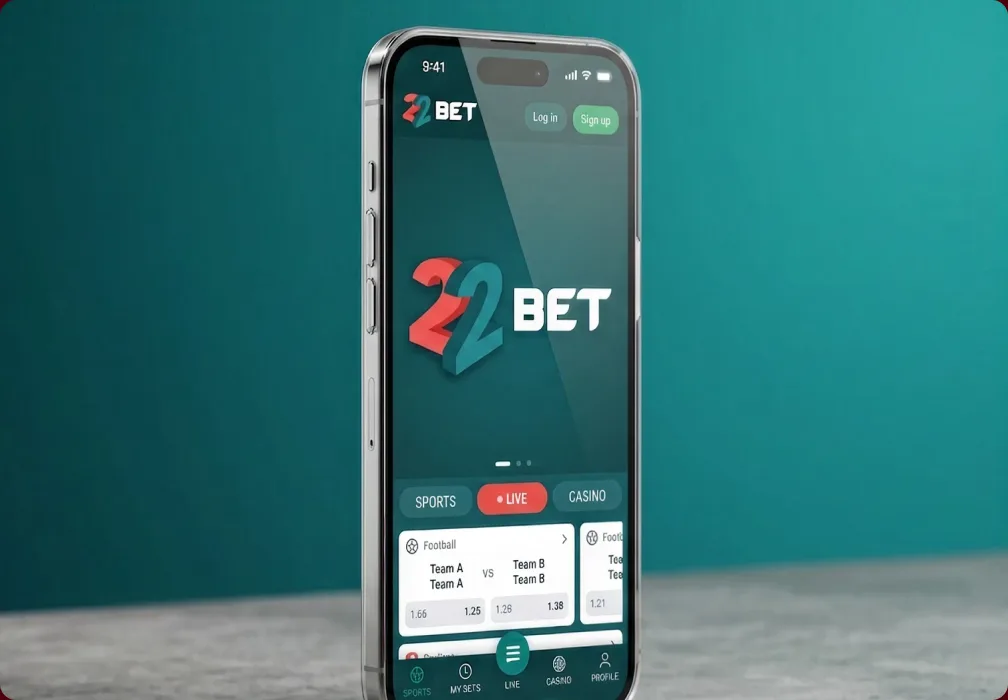
One point that comes up on every page in this series: 22Bet’s licence is issued out of Curaçao, backed by a Kahnawake permit — an offshore arrangement that isn’t tied to any single country’s regulator. Confirm what applies to you before installing anything. You need to be eighteen or older.
Why the browser site covers most people
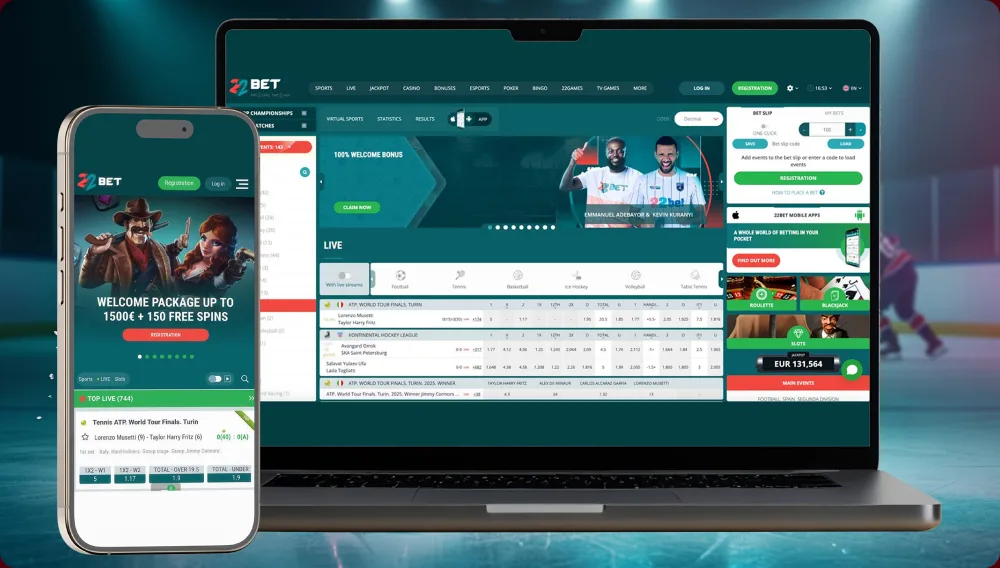
A common early assumption worth correcting: thinking of the mobile site as some scaled-back version, a lobby with the good rooms locked away. That’s not how it works. Full sportsbook access is included, the live dealer tables work the same way, the slots library — well past nine thousand titles — is all there, and deposits and withdrawals work the same way they do anywhere else on the platform. Nothing has been cut down to fit a browser window. What loads on your phone screen is the complete platform, just without the install step.
That missing install step works in the site’s favour rather than against it. The whole advantage here comes down to subtraction: nothing to download, nothing that needs patching, nothing sitting on your device between sessions. Open a tab, log in, land on the exact same account you’d reach from a laptop, then close it out and get your storage back when you’re done. For anyone who bets now and then, or whose phone is already running low on space, or who’d simply rather not touch system settings, this setup beats any install.
There are exactly two things the browser genuinely can’t do, and it’s worth naming them plainly rather than letting app marketing overstate its case. A lock-screen alert simply isn’t possible through a browser tab, and neither is trimming those final fractions of a second off a live bet. Everything else — every market, every game, every banking method — works identically either way. If neither of those two limitations describes a problem you run into in practice, you already have most of your answer, and the app becomes a nice extra rather than something you need.
Join Now
Installing the 22Bet app: two routes with nothing in common
For daily in-play bettors, or for anyone who simply wants the app regardless of the reasoning above, here’s the part most homepages explain badly. iOS and Android don’t share an installation method — not just “somewhat different,” but two completely separate processes. Missing that distinction usually means searching in the wrong place, coming up empty, and assuming the app simply isn’t real. It does; the search just started in the wrong direction. Follow whichever route matches your device.
Android by APK
Searching the Google Play Store won’t turn up 22Bet on Android, and that’s deliberate rather than an oversight — Play restricts real-money gambling apps by region. The actual route is a direct APK download from the 22Bet site itself, which sounds more complicated than it actually is.
Open the official 22Bet site in your phone's browser and find the mobile apps section.
Tap the Android download option — the 22Bet.apk file lands in your downloads folder.
When your phone prompts you, allow installation from unknown sources just this once — the prompt appears automatically, whether through Settings, Security, or directly from the browser.
Open the downloaded file, follow the prompts, and installation completes.
Sign in or register, and you're in.
 Download
 the android app
One rule that shouldn’t be bent: only pull the APK from the official 22Bet site, never anywhere else. A gambling APK sourced from a random mirror site is about the fastest way to hand your phone over to someone with bad intentions. The unknown-sources setting can be switched straight back off once installation finishes — nothing about how the app runs afterward depends on leaving it on. Updates mean downloading the current APK again and installing it over the existing app; a bit more effort than tapping an app store button, but routine enough once you’ve done it the first time.
22Bet on iOS
iPhone and iPad users follow a far more standard process, with just one detail worth flagging.
Open the App Store, search for 22Bet, and check that the listing is the genuine one — or, better still, follow the App Store link directly from the 22Bet site to avoid imitations entirely.
Tap Get; the app is small and downloads fast.
Open it, sign in with your existing 22Bet details, and that's the entire process.
 Download
the IOS app
iOS asks for no extra setup and updates itself automatically through the App Store, sidestepping the whole unknown-sources conversation completely. If you own both types of device, the iPhone install is noticeably less fiddly.
What the app actually gets you
The app’s real selling point isn’t a feature missing from the site — it’s that nothing is missing, and a handful of things simply fit better in a mobile-first format. Sports betting, live wagering with streaming built in, the full casino including real-dealer tables, and deposits, withdrawals and bonus management all work inside the app the same way they do in the browser. A short list of specific things tips the decision toward installing:

-
 The fast stuff gets faster Quick Bet and one-thumb navigation are built for placing a bet from the couch mid-match, and that's the app's clearest edge over the browser.
 -
 Notifications that actually reach you entirely optional, but genuinely useful for catching a sudden odds shift or a short-window promotion you'd otherwise scroll straight past.
 -
 Biometric unlock fingerprint or face recognition, so the account isn't one careless glance away from whoever's holding your phone.
 -
 Settings that follow you language, preferences and balance stay perfectly in sync between phone and laptop, so switching mid-session costs nothing.
The fair trade-off to flag: the app carries over the same dense interface as the site, and on a smaller screen that density can feel even more pronounced, since the same elements now have less room to breathe. The first session or two can feel cluttered. By the third, it starts reading as everything within reach rather than overwhelming — the same adjustment the desktop platform asks of new users.
On the part you notice rather than read about — how it performs — the live streams come through cleanly: crisp picture, minimal lag, which matters enormously in live betting, since a stuttering feed costs you at exactly the moment a price is moving. Updates arrive regularly and stay light enough to not think about. Compared with the many casino apps that are little more than a browser window wearing a costume, this one has had real thought put into it.

Device requirements and 22Bet compatibility
Here’s the reassuring bit: the app stays small and easy on your phone’s resources, since the demanding part — the games themselves — streams in rather than getting installed on the device. That keeps load times short and lets it run comfortably on hardware that’s a few years old. The essentials:
| System | Minimum | Note |
|---|---|---|
| Android | Android 5.0 or higher | Roughly 30–50 MB free; APK from the official site |
| iOS | iOS 11 or higher | iPhone and iPad; installed via the App Store |
| Connection | Stable Wi-Fi or data | Streaming wants a solid link; plain betting asks far less |
These specific figures shift a little with each app version, so treat them as a rough guide rather than a strict rule. If your phone is from the last few years, there’s nothing here to worry about. On older hardware specifically, live streams might stutter occasionally, but placing bets themselves stays smooth regardless, since that action asks almost nothing of the processor.
Account, verification and staying secure on mobile
The entire account lifecycle runs inside the app, and that goes beyond simple convenience. Signing up, funding the account and getting a first bet down can all happen without a browser ever coming into it. Verification follows the same process as everywhere else on 22Bet — identity checks typically land at your first withdrawal rather than at sign-up — and the app has one particular edge: it lets you snap a photo of your ID and proof of address right then and there and send them off, rather than juggling files across devices.
The platform’s underlying security follows the standard set: encrypted connections, account verification, the usual protective measures. The gap that opens up on mobile specifically is the one you’re responsible for — the physical device itself. A screen lock, along with biometric unlock where the app supports it, is what stops a lost phone turning into a compromised account. It sounds obvious once stated, and it’s exactly the thing that gets forgotten when the app stays permanently open on an unlocked device.

When the 22Bet app runs into trouble

Nearly every reported app issue traces back to a short, predictable list of causes, and almost none of them need contacting support. An APK install that won’t start usually means unknown-sources permission wasn’t properly granted, or the phone is short on storage. Sluggish performance or a stream breaking into chunks is a connection issue far more often than a device one — switching to Wi-Fi usually fixes it. A login that won’t go through is almost always someone looking for app-specific credentials that don’t exist — the account is identical to the one used on the site, with no separate registration required. A failed Android update gets resolved by downloading a fresh APK from the official site rather than troubleshooting the existing install. When none of that applies, round-the-clock live chat is built right into the app.
App or mobile site: making the call
With both sides laid out, here’s the whole comparison on one screen, so there’s nothing left to weigh up separately:
| Criterion | Installed app | Mobile site |
|---|---|---|
| Installation | APK (Android) or App Store (iOS) | None — the browser is the app |
| Speed in live markets | A shade quicker | Good, a fraction behind |
| Push notifications | Yes | No |
| Biometric unlock | Fingerprint or face | No |
| Offers, bonuses, banking | Everything | Everything |
| The person it suits | Daily in-play bettor | Everyone else, and any first-timer |
Look at the bottom two rows and the recommendation is more or less made for you. Speed combined with notifications is really the only place the app has a genuine edge, and that edge only matters if you bet in-play often enough for a couple of saved seconds and a timely alert to actually pay off. Everywhere else, the two options land level.

Frequently asked questions

Verdict: does the 22Bet app earn its place?
Taken together, the app gets the important things right. It carries the full platform without trimming anything, runs comfortably on older hardware, and in live betting holds its own against the desktop site. Its one real friction point is at the front door — the iOS and Android installation routes share nothing, and the homepage doesn’t do a great job of making that clear. Keeping “Android by APK, iOS by App Store” in mind clears up most of the confusion immediately.
Where there’s no need to hedge is the recommendation itself, because it really comes down to how you bet. Betting in-play daily makes the storage space worth it without much debate. Betting occasionally means the mobile site gets you to the same place while asking for nothing in return — no download, no update cycle, no storage used. Neither route gives up a single feature to the smaller screen, and that’s really the fact that should settle the decision.
One closing note that applies across this whole set of pages: set your deposit and time limits on the day you install, not the day you realise you probably should have. The app is always one tap away, and keeping an eye on that convenience is time well spent.

Responsible gaming
An app makes betting noticeably more convenient, and that convenience makes it easier to lose track of what you’re spending. Setting deposit and session limits directly in the app early on makes sense, and the play-time reminders help if sessions tend to stretch on. Self-exclusion tools are available on mobile as well. You must be eighteen or older. If betting stops being enjoyable, stopping, taking a break and reaching out to a support service in New Zealand are all worth doing.
